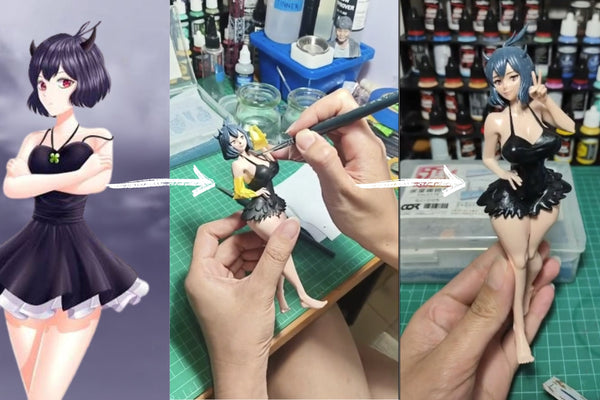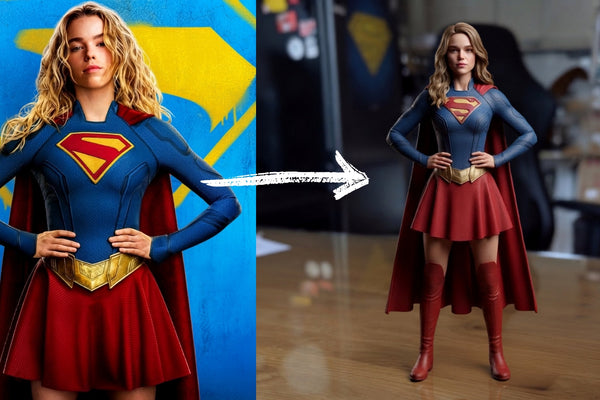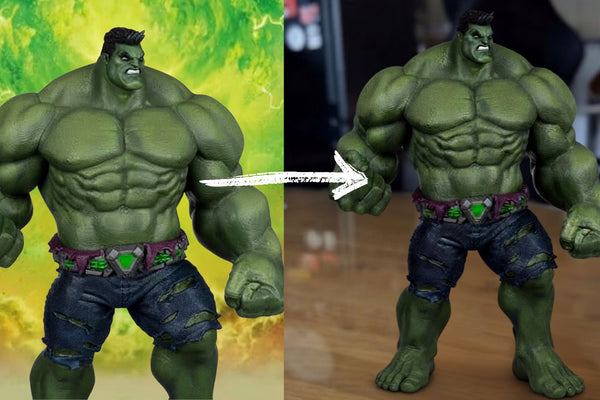



Have you created an amazing character with AI and wished you could actually hold it in your hands?
With Figuro, you can turn your AI-generated character into a real custom 3D figurine.
With Figuro, you can turn your AI-generated character into a real custom 3D figurine.
Step 1: Create Your Character With AI
Use your favorite AI image generator to create the character you want.
You can create:
- Superheroes
- Game characters
- Fantasy characters
- Family characters
- Original AI characters
Sample AI Prompt
“Create a realistic full-body 3D character standing in a natural pose. Include detailed clothing, accessories, hairstyle, facial features, and realistic proportions. Make sure the entire character is visible from head to toe, with clear details and a clean background.”
For the best results, make sure the full body and important details are clearly visible.
“Create a realistic full-body 3D character standing in a natural pose. Include detailed clothing, accessories, hairstyle, facial features, and realistic proportions. Make sure the entire character is visible from head to toe, with clear details and a clean background.”
For the best results, make sure the full body and important details are clearly visible.
Step 2: Upload Your AI Image to Figuro
Once you’re happy with your AI-generated character, visit getfiguro.com and upload the image.
You can preview your custom figurine before placing your order.
Step 3: Choose 16cm or Larger
For better detail and a higher-quality finish, we recommend choosing a 16cm or larger figurine.
The larger size gives more room to capture details such as clothing, hair, accessories, and the character’s pose.
 Step 4: Place Your Order
 Happy with your preview?
Place your order and let Figuro transform your AI creation into a physical 3D figurine.
Step 5: Wait for the Magic
Your custom figurine takes around 2–3 weeks to create and prepare.
Then comes the amazing part…
 Your AI character is REAL!
 What started as a digital image can become something you can actually hold, display, and keep forever.
Ready to Make Your AI Character Real?
Create your character with AI and turn it into a custom 3D figurine.
Start creating at getfiguro.com