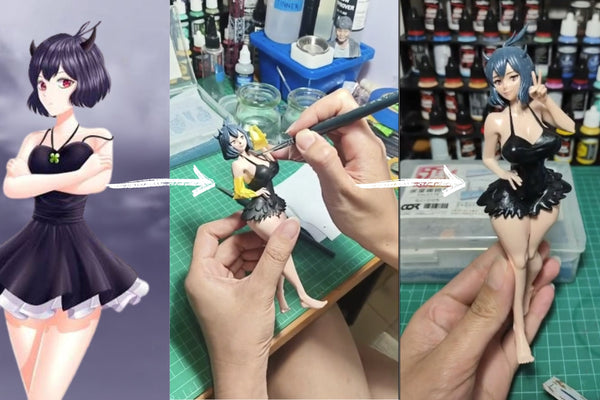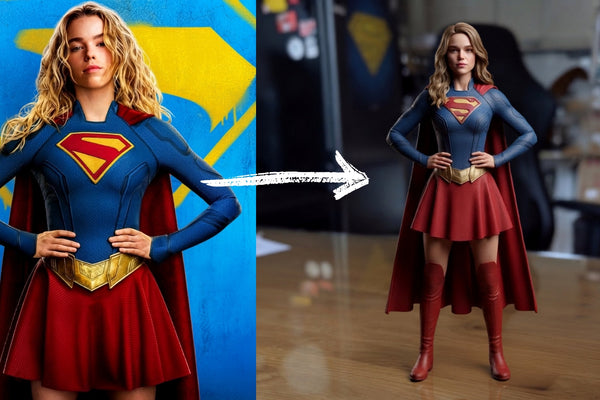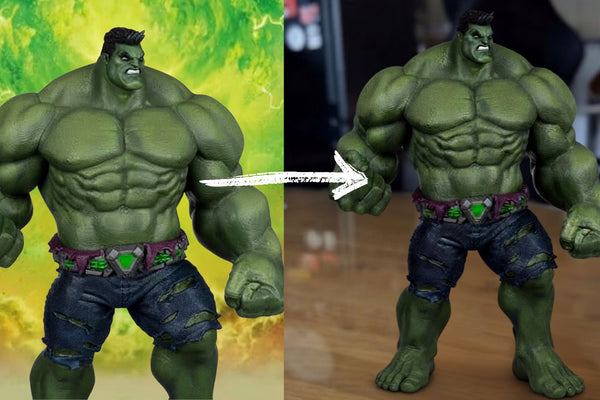



هل تمنيت يوماً أن تمتلك شخصية ولفرين كمجسم قابل للاقتناء في الواقع؟
مع Figuro، يمكنك تحويل صورتك المفضلة لولفرين إلى مجسم ثلاثي الأبعاد مخصص يمكنك عرضه في منزلك، أو مكتبك، أو ضمن مجموعتك الخاصة.
مع Figuro، يمكنك تحويل صورتك المفضلة لولفرين إلى مجسم ثلاثي الأبعاد مخصص يمكنك عرضه في منزلك، أو مكتبك، أو ضمن مجموعتك الخاصة.
الخطوة 1: اختر صورتك المفضلة لولفرين
اعثر على صورة واضحة لولفرين في الوضعية التي تفضلها.
للحصول على أفضل النتائج، اختر صورة كاملة للجسم تُظهر بوضوح:
- وجه ولفرين
- زيه
- قفازاته
- مخالبه
- وضعية الجسم بالكامل
وضعية قتالية يبرز فيها ولفرين مخالبه يمكن أن تجعل المجسم أكثر إثارة.
الخطوة 2: ارفع صورتك إلى Figuro
قم بزيارة getfiguro.com وارفع صورتك المفضلة لولفرين.
ستتمكن من معاينة كيف سيبدو مجسمك المخصص قبل إتمام طلبك.
الخطوة 3: اختر مقاس 16 سم أو أكبر
للحصول على تفاصيل أدق وتشطيب بجودة أعلى، نوصي باختيار مجسم بمقاس 16 سم أو أكبر.
يساعد الحجم الأكبر في إبراز تفاصيل مثل زي ولفرين، ومخالبه، وشعره، ووجهه، ووضعيته القتالية.
 الخطوة 4: أكمل طلبك
هل أنت راضٍ عن المعاينة؟
أكمل طلبك واترك لـ Figuro مهمة تحويل صورتك المفضلة لولفرين إلى مجسم مادي ثلاثي الأبعاد.
الخطوة 5: انتظر السحر
يستغرق صنع وتجهيز مجسمك المخصص حوالي 2-3 أسابيع.
ثم يأتي الجزء الأكثر إثارة...
 لقد أصبح ولفرين حقيقة!
ما بدأ كشخصية رقمية يمكن أن يتحول إلى قطعة مادية قابلة للاقتناء يمكنك عرضها والاحتفاظ بها إلى الأبد.
هل أنت مستعد لبث الحياة في ولفرين؟
حوّل صورتك المفضلة لولفرين إلى مجسم تذكاري ثلاثي الأبعاد مخصص.
ابدأ التصميم الآن على getfiguro.com